Offline, genuinely.
Point it at Ollama and the whole app — chat, reading, speech, dictation — works on a plane. No account, ever.
v0.1.0 · macOS · Windows · Linux · MIT
Full conversations with inline corrections, AI-generated graded reading, automatic vocabulary capture, and a voice on both ends. Everything lives in a SQLite file on your disk. There is no server to sign up to, because there is no server.
Windows, Linux and Intel Mac builds below No account, ever Point it at Ollama and it works on a plane
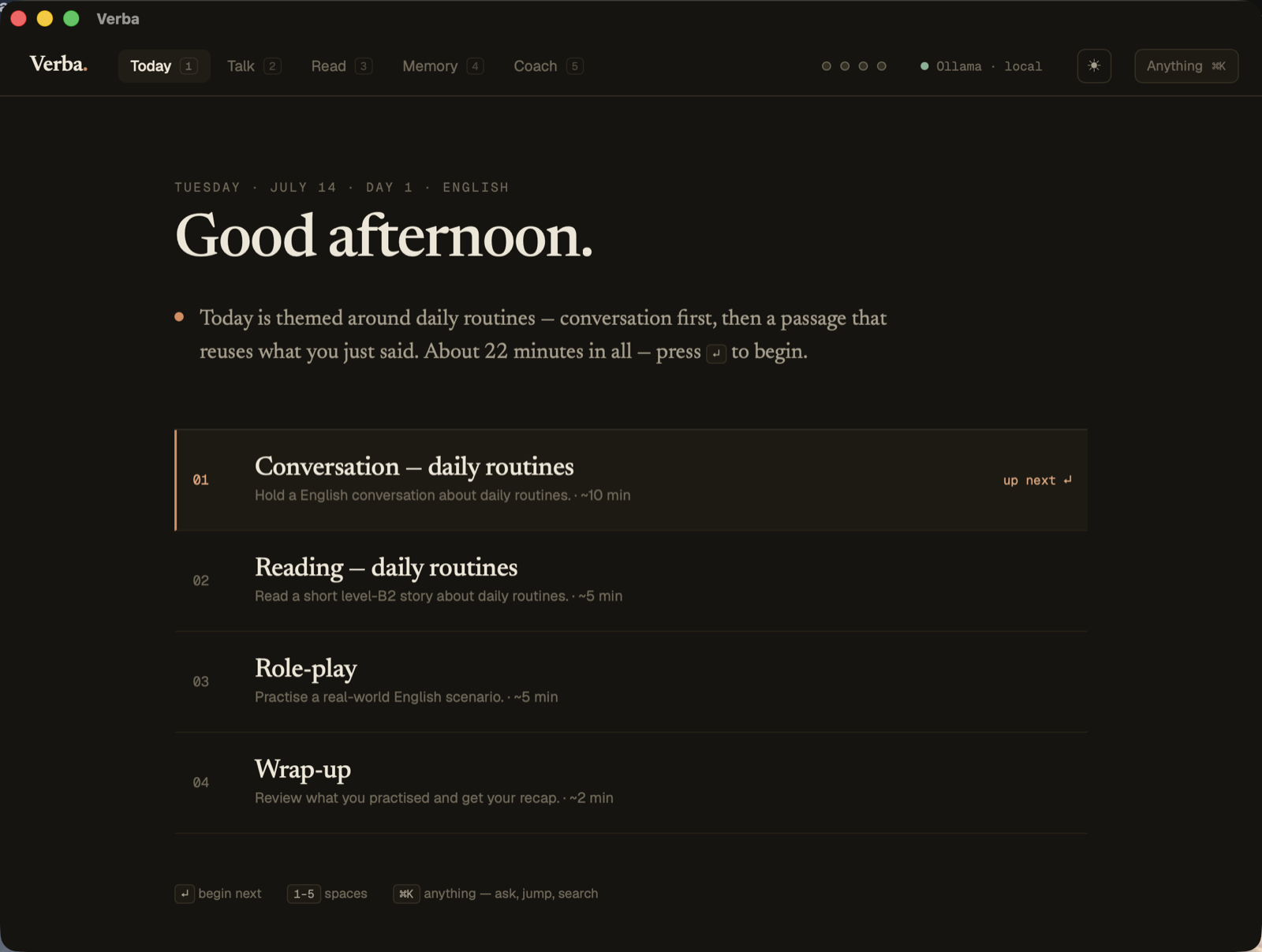
A session is a plan, not a menu. One theme threads today's conversation, reading, role-play and the words that are due. You are never asked what to study — you press ↵ and begin.
The session
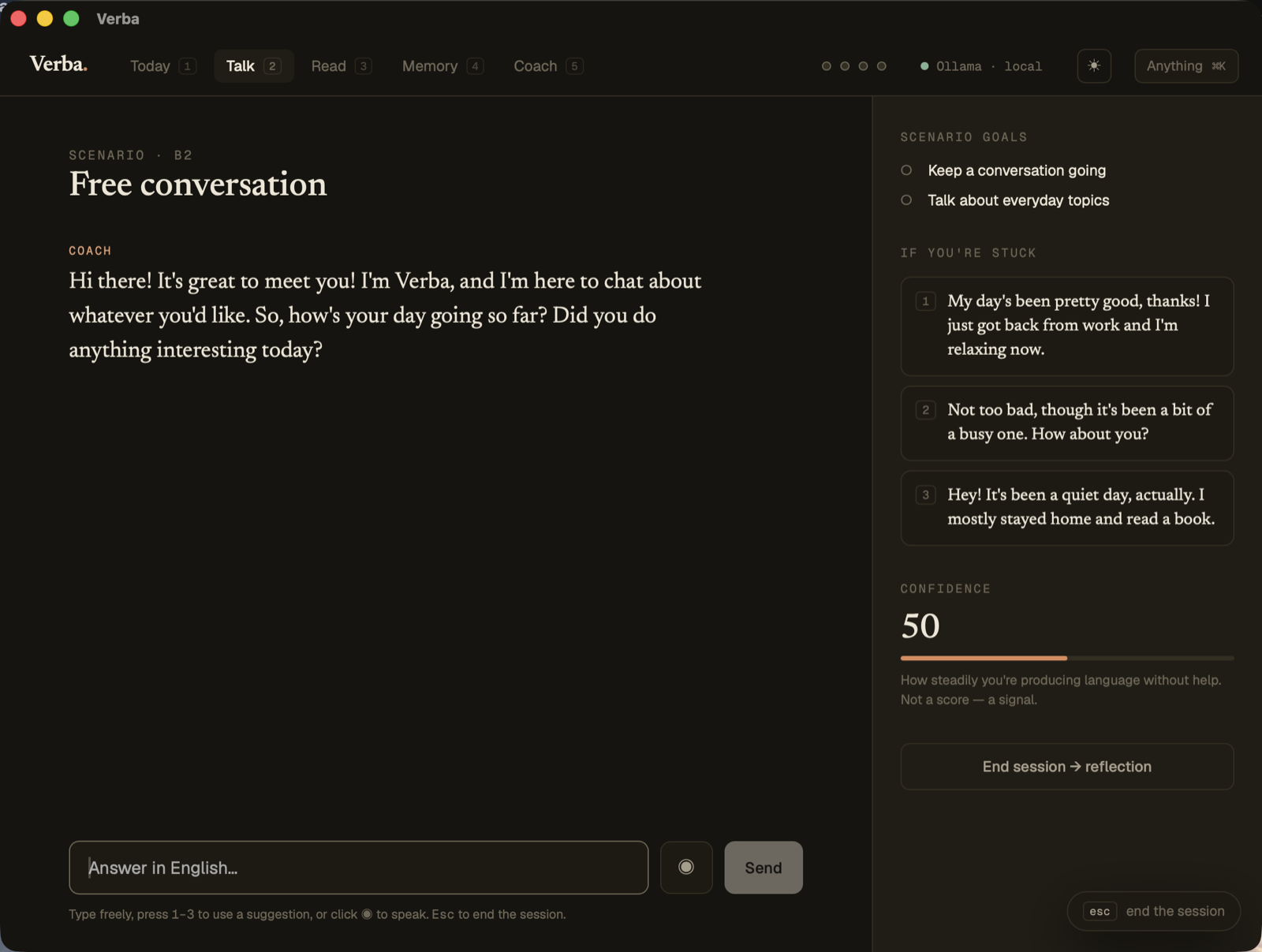
Corrections arrive inline, in the flow of the conversation, and the word you stumbled on is quietly noted. Suggestions are there for the moment you stall — not to answer for you.
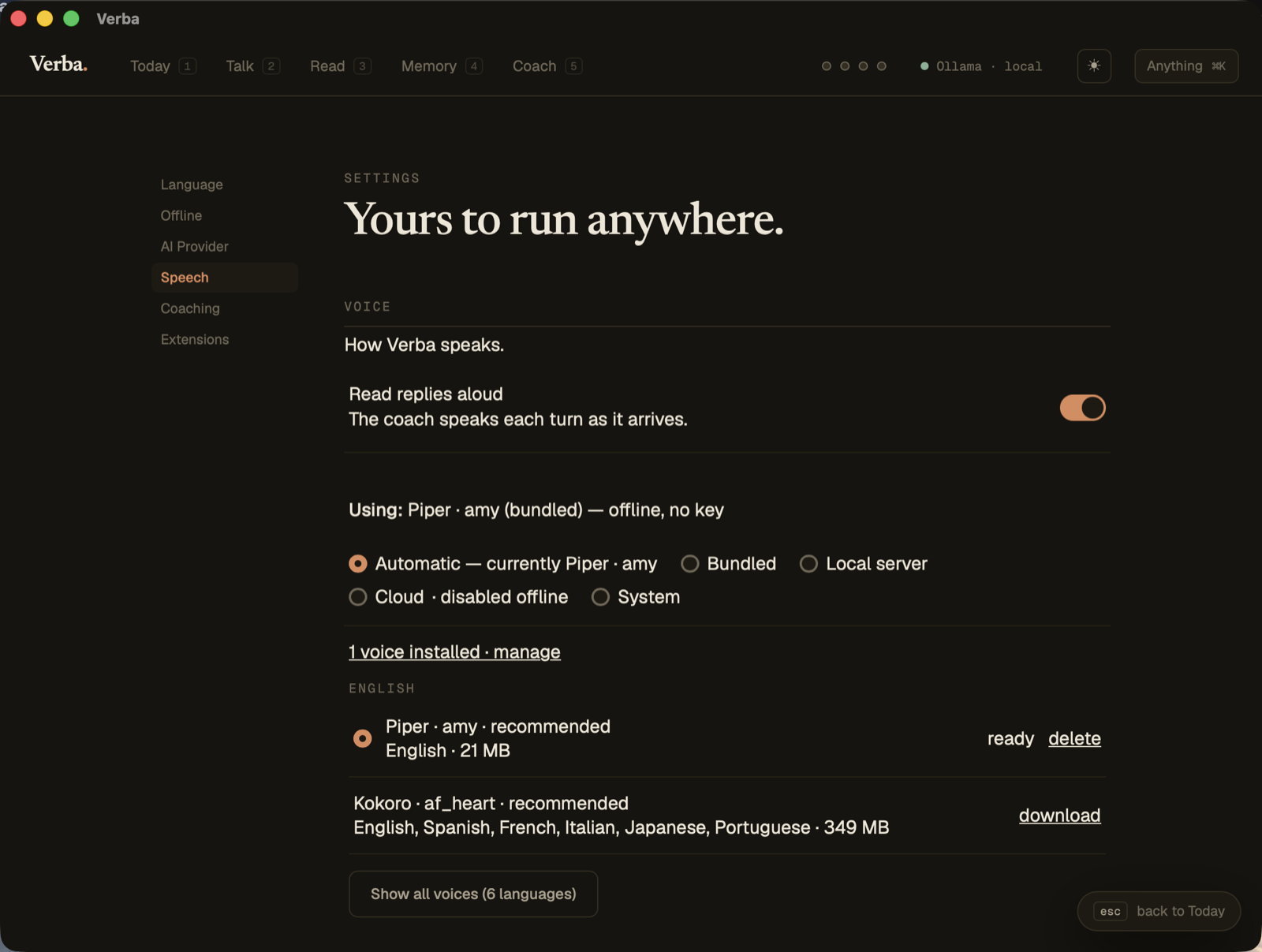
A 21 MB voice runs inside the app: no key, no server, nothing on the network. Speak, get transcribed, get answered out loud — and Verba always tells you which tier is actually speaking.
Why Verba
Point it at Ollama and the whole app — chat, reading, speech, dictation — works on a plane. No account, ever.
Ollama, LM Studio, OpenAI, Anthropic, Gemini, OpenRouter. Swap in Settings; nothing is locked in.
Speak, get transcribed, get answered out loud. The bundled models download on demand and run in-process.
Words you stumble on become a spaced-repetition deck, and the deck feeds tomorrow's session.
Everything lives in a local SQLite file. Nothing is uploaded, nothing is synced, nothing is sold.
English, Spanish, French, German, Japanese, Turkish, Italian, Portuguese. Add yours.
Speech
Verba walks bundled → local server → cloud key → OS voice and always tells you which tier is actually speaking. The bundled tier is the default, and it is the one that needs nothing from you.
Piper is a fiftieth of Kokoro's download and several times quicker — which, for a conversation turn, matters more than the last few percent of naturalness. Already run your own speech server? Any OpenAI-compatible one works (Kokoro-FastAPI, speaches, LocalAI, vLLM), as do ElevenLabs and Deepgram keys.
Download · v0.1.0
On a Mac, take aarch64 for Apple Silicon and x64 only for an Intel Mac — the wrong one either refuses to start or crawls under Rosetta.
Verba has no Apple Developer certificate and no Windows code-signing certificate, and we would rather ship the build than gate it behind either. So both operating systems will refuse to open it on the first try.
macOS says “Apple could not verify ‘Verba’ is free of malware” and offers
you Move to Trash. That is not a detection — nothing was scanned and nothing was
found. It is what macOS says about any app that hasn't been through Apple's
notarisation service. Drag Verba to /Applications, then:
xattr -dr com.apple.quarantine /Applications/Verba.appWithout a terminal: try to open it once, then System Settings → Privacy & Security → scroll down → Open Anyway.
Windows SmartScreen shows “Windows protected your PC” → More info → Run anyway.
Building it yourself sidesteps both, and is the honest option if the above makes you uncomfortable. None of this is unique to Verba — it's the toll every unsigned open-source desktop app pays.
Platform honesty. All four targets are packaged from the same source by CI, but the bundled speech engine has only ever run on macOS arm64. If you are the first to run it on Windows or Linux and no voice comes out, that's a bug worth reporting — not you doing it wrong.
Or build it from source
git clone https://github.com/nuvocode/verba.git
cd verba
npm install
npm run tauri build
Needs Node and Rust; for offline, Ollama running.